


Therapist Client Welcome Guide
Your hours, your fees, your cancellation window, and when you answer messages — written down and handed over before the first session. Most private practice boundaries get set...
Sent to your email right after checkout.
- Delivery
- Digital. The download link is emailed to you as soon as the payment goes through, so there is nothing to ship and nothing to wait for.
- Editing
- You edit the files in Canva. A free Canva account opens and exports them; no other software and no subscription is needed.
- Refunds
- Because delivery is instant and digital, refunds are not provided. If a file won't open or a link stops working, write to support@kitmuse.com and we'll fix it.
- License
- For one practice, with every client that practice takes. Reselling the files as templates or passing the Canva links on is not allowed.
Your hours, your fees, your cancellation window, and when you answer messages — written down and handed over before the first session.
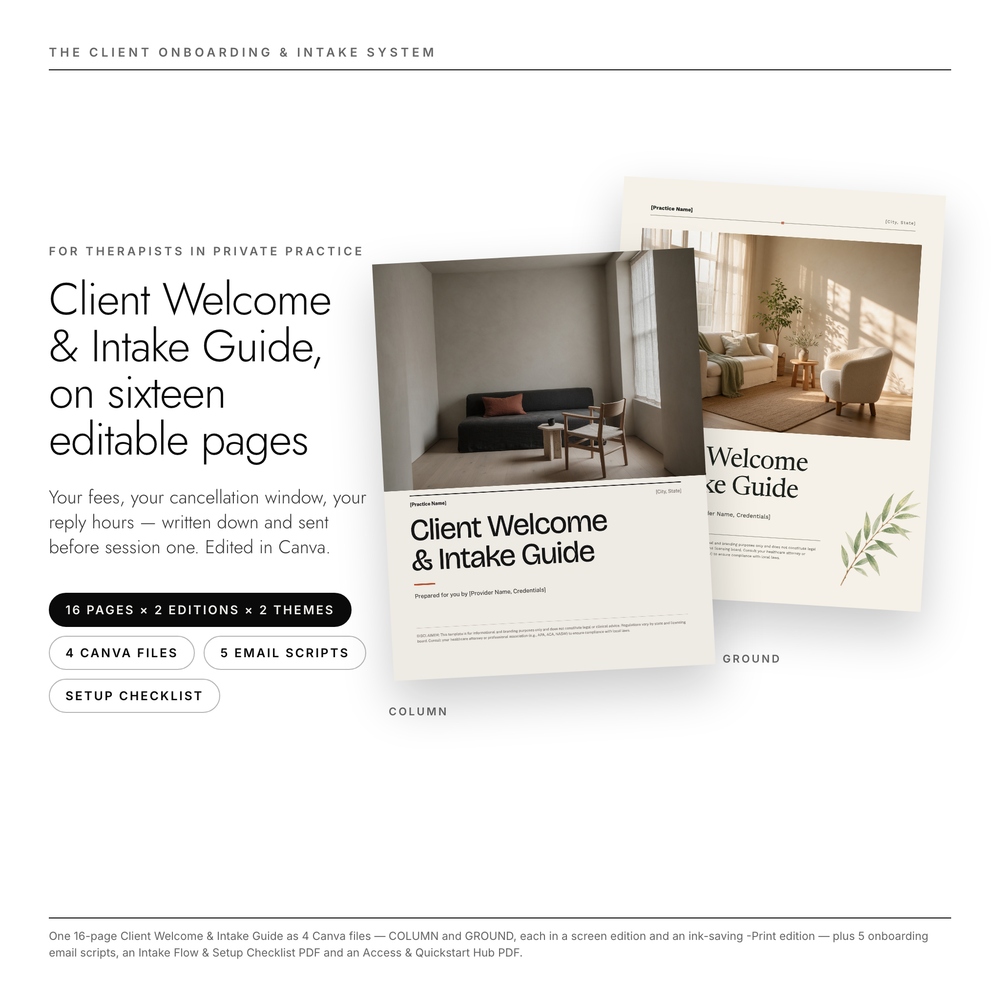
Most private practice boundaries get set the day after the moment that made them necessary: the text at 10 p.m., the third reschedule, the client who assumed the rate was per month. This is the document that says it upfront instead — a 16-page Client Welcome & Intake Guide you edit in Canva, in your name and your voice, and send along with your intake forms.
This is NOT an intake form for your EHR. SimplePractice handles legal signatures; this Welcome Guide sets boundaries, reduces client anxiety, and justifies your rate before Session #1.
WHAT'S INSIDE
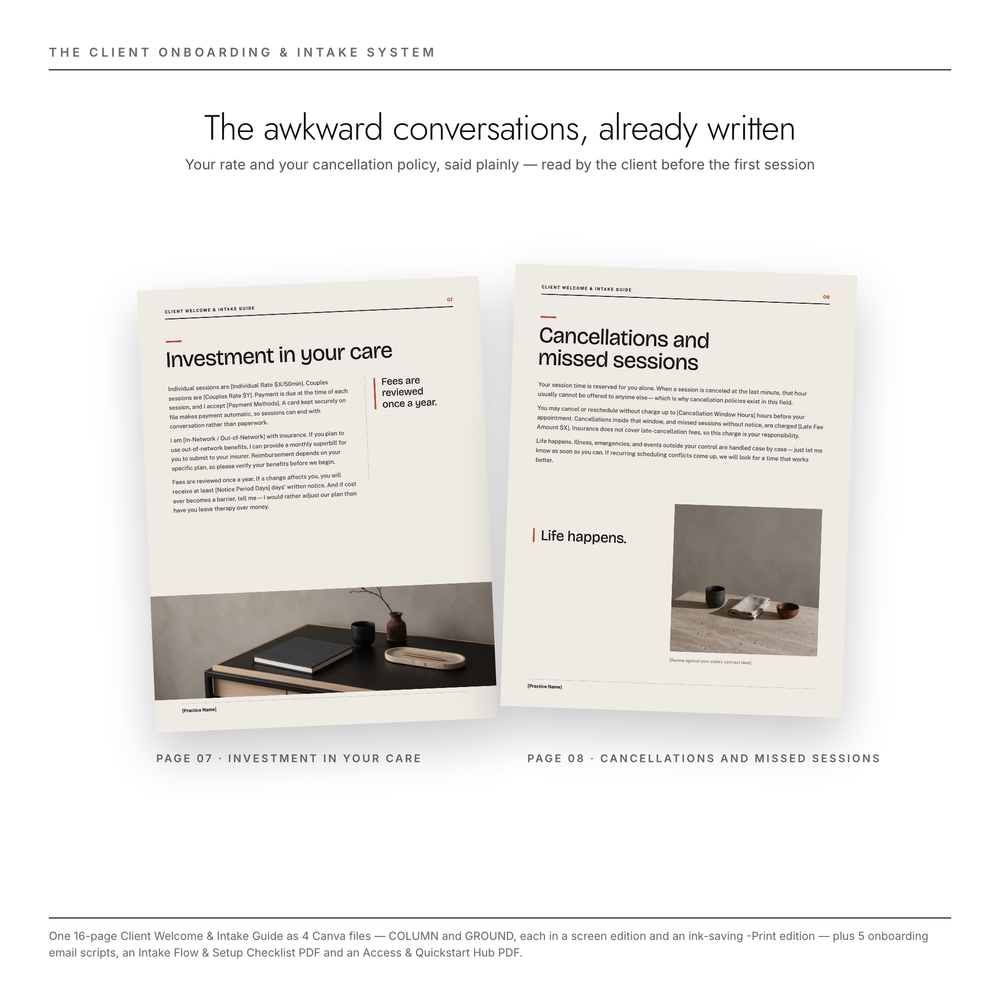
- Client Welcome & Intake Guide — 16 pages, US Letter, edited in Canva. Cover · Welcome & Mission · Meet Your Therapist · Therapeutic Approach · Your First Session · Practice Logistics & Hours · Investment & Fee Structure · Cancellations & Missed Sessions · Communication Boundaries · Telehealth Guidelines · Crisis Resources (988 / Crisis Text Line / 911, with a "verified [MM/YYYY]" date line) · Privacy & Confidentiality · Client Portal Setup · First Session Preparation · Your Costs Up Front (Good Faith Estimate intro) · Next Steps & Intake Checklist.
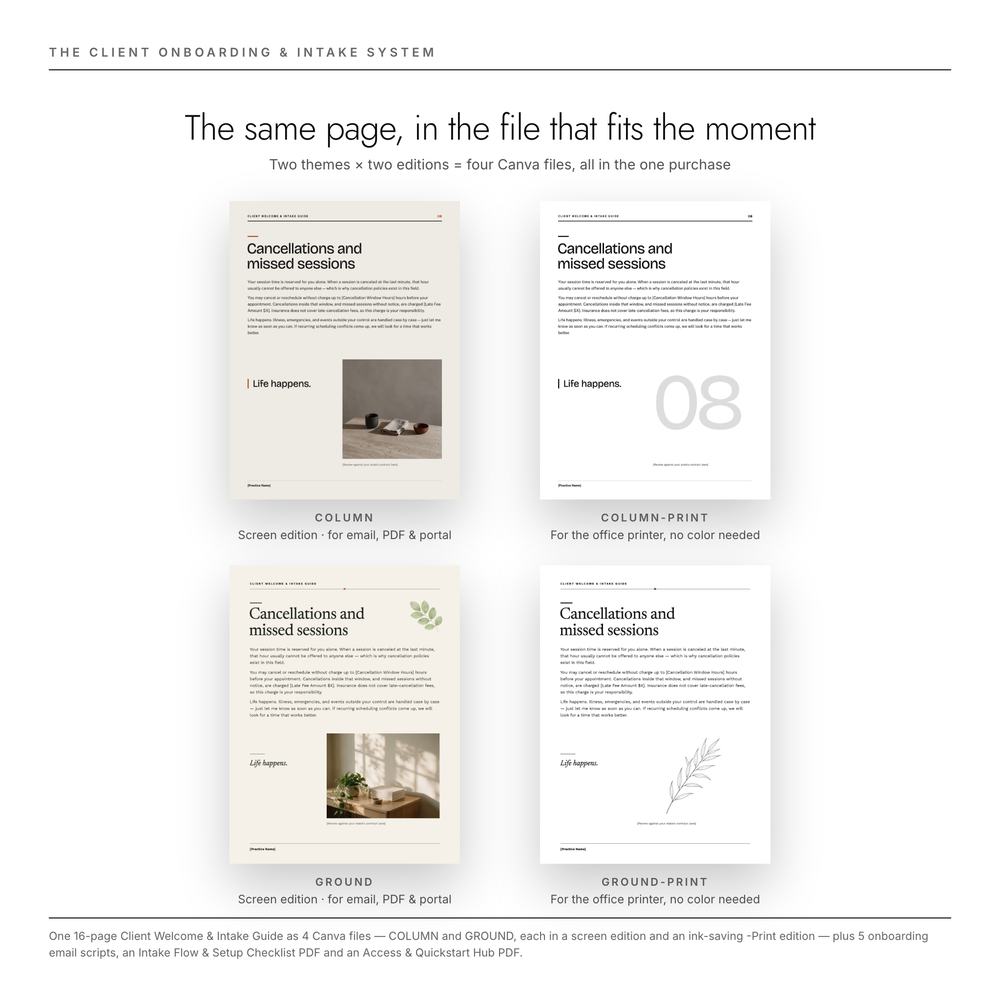
- 16 pages × 2 editions × 2 themes = 4 Canva files. Two themes — COLUMN, warm editorial, and GROUND, earthen and serif — are the same sixteen pages in two visual languages. Each theme comes in two editions: a screen file for email, PDF and your client portal, and a -Print file with a white background, border-safe margins and high-contrast text, built to survive an office printer on toner-save. Both themes and both editions are in this one purchase. There is no version to choose at checkout and no color printer required.
- 5 Client Onboarding Email Scripts — Inquiry Reply, Pre-Session Reminder, Intake Follow-up, Late Cancellation Notice, Post-Session Check-in. Written to sound like a therapist, not a billing department — the late-cancellation email holds your policy and your warmth in the same breath.
- Intake Flow & Setup Checklist (PDF) — a 25-step, one-sitting checklist that takes the system from downloaded files to your first client's inbox: customize the guide, align it with your signed policies and billing settings, run the privacy basics, then send it — each email script tied to the moment it goes out.
- Access & Quickstart Hub PDF — five pages: all four template links (as buttons and as printed addresses you can retype), the 15-Minute Edit System that clears every [bracket slot] in two passes rather than forty, all five email scripts in full, a group-practice conversion built only from phrases that are safe to replace in bulk (and a plain list of the pages you should edit by hand instead), and the full slot inventory for reference.
THE PAGES MOST WELCOME PACKS LEAVE OUT
A pretty welcome PDF is easy to find. The pages below are the ones that take an afternoon to write yourself, because each needs a number or a name you have to go and look up:
- Your Costs Up Front — a Good Faith Estimate introduction for private-pay clients, in the plain language the No Surprises Act conversation actually needs.
- Telehealth Guidelines — platform, waiting room, what to do when the connection drops, and a [State Licensing Limit] slot for the question of which state your client is sitting in.
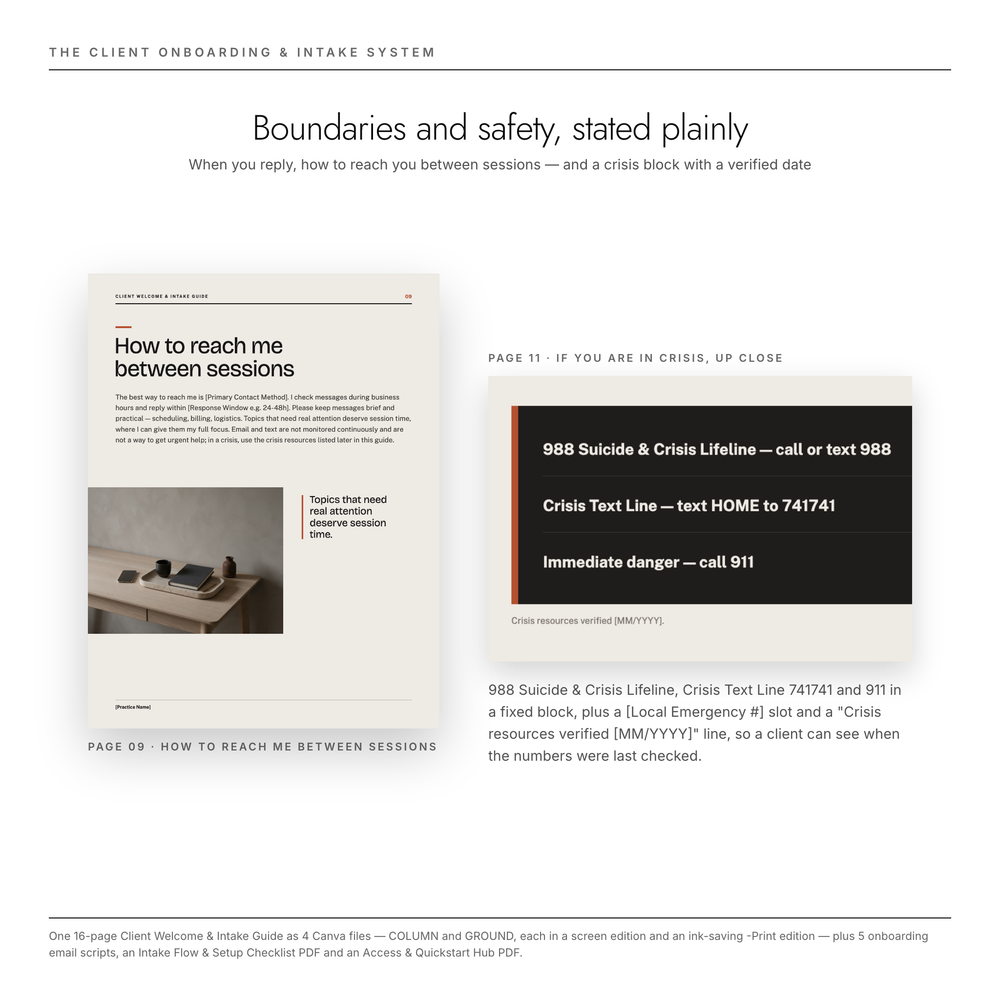
- Crisis Resources — 988 Suicide & Crisis Lifeline, Crisis Text Line 741741 and 911 in a fixed block, plus a [Local Emergency #] slot and a "Crisis resources verified [MM/YYYY]" line so a client can see when the numbers were last checked.
- Privacy & Confidentiality — what confidentiality covers and where it ends, the risks of unencrypted email and text, and a [State Law Reference] slot.
- Two review markers — bracketed lines on the cancellation page and the privacy page that name the two places worth reading with your board or your attorney before you send the guide out. Do the review, delete the line.
These are slots and starting wording, not legal advice. The guide points at the questions; your state's answers stay yours to fill in.
THE 15-MINUTE EDIT SYSTEM
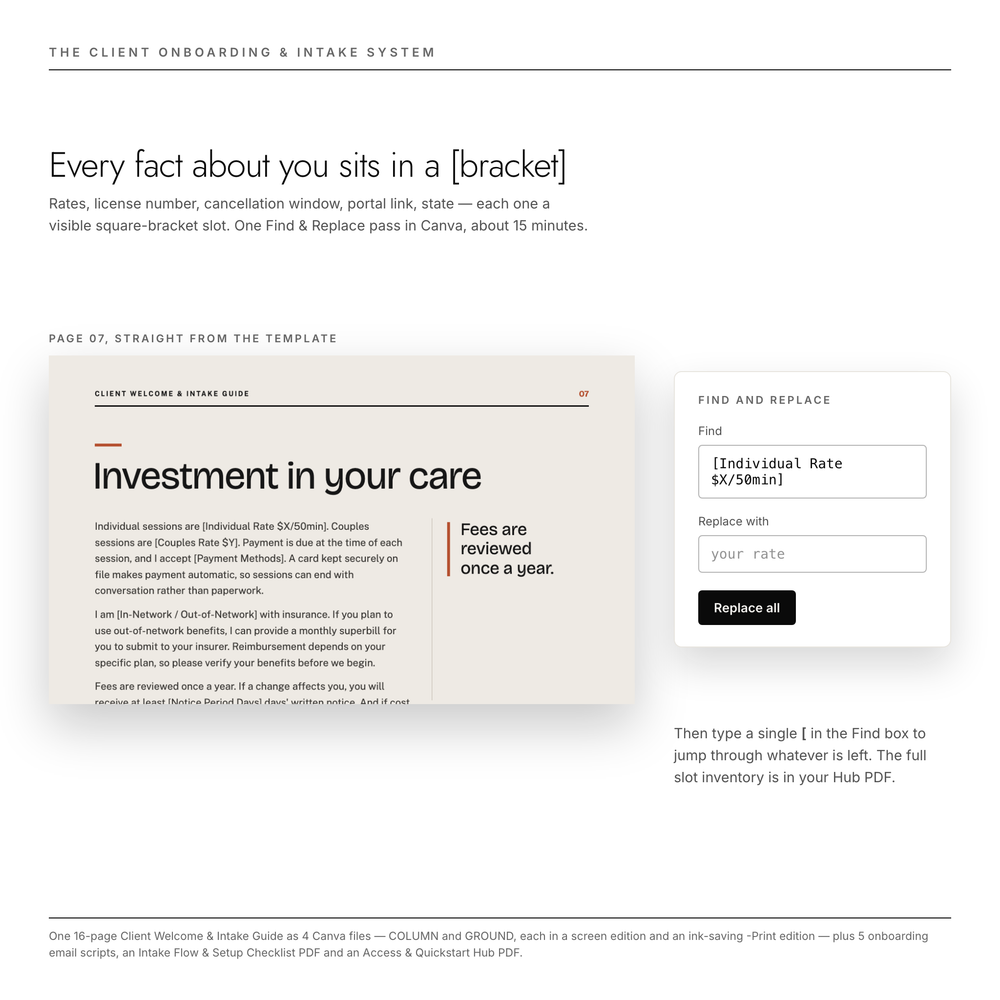
Every personalization point is a visible [square-bracket slot] — your name, license, rates, cancellation window, portal link. Open the template, press Ctrl/Cmd+F, replace, drop three photos into the ready frames. Layouts are tested to hold up to a third more text than the placeholder, so your longer bio won't break the page.
WRITTEN FOR THE ANXIOUS FIRST-TIME CLIENT
The fee and cancellation pages were edited specifically so a nervous client reading them before ever meeting you hears clarity, not a warning. The Communication Boundaries page states your digital office hours and your response window as information, not as a rule being imposed — which is, in the end, what modeling boundaries looks like on paper.
WHAT THIS DOES NOT DO
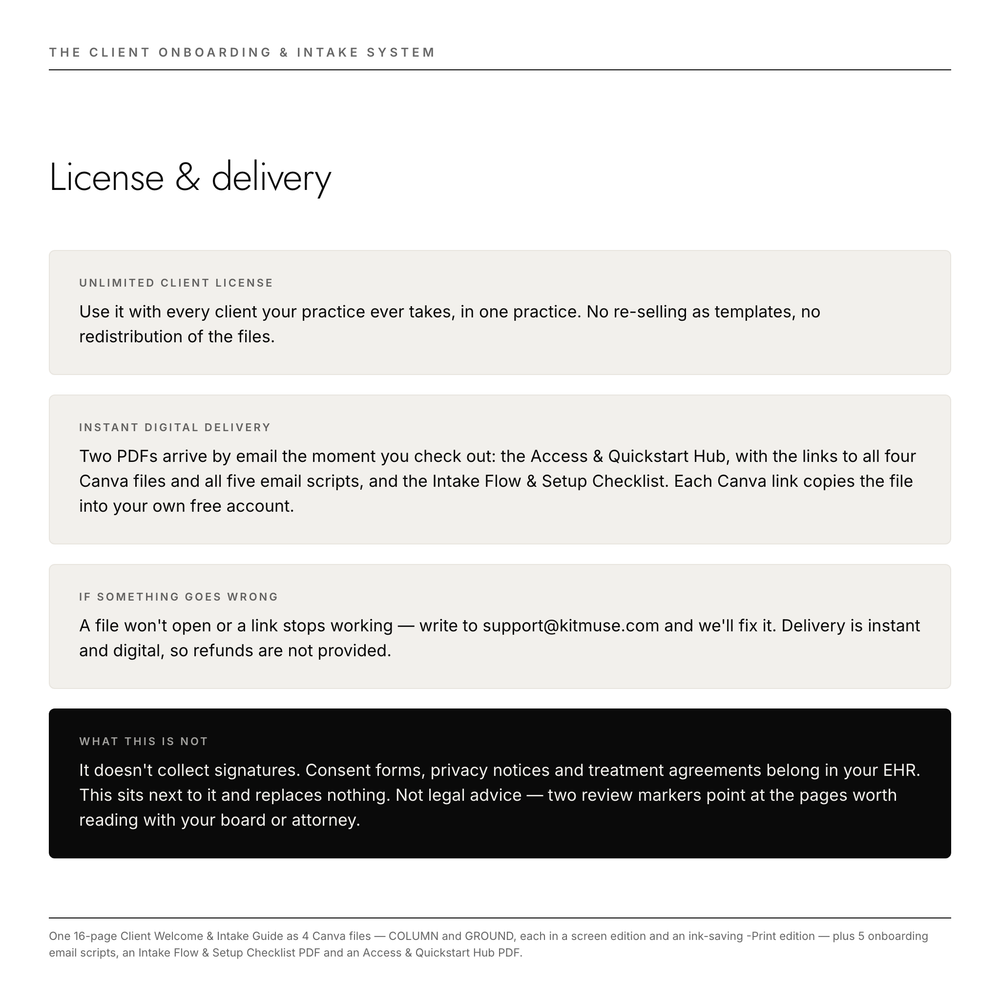
- It does not collect signatures. Consent forms, privacy notices and treatment agreements stay in your EHR, where they belong.
- It does not enforce your cancellation policy. It states the policy in words a client can read without flinching, and Email 4 is written for the moment you decide whether to charge the fee or waive it. That decision stays yours.
- It does not promise fewer no-shows and late cancellations. Nobody can honestly put a number on that, so we don't.
- It is not a source of new clients. It works on the people who already wrote to you.
LICENSE & DELIVERY
- Unlimited Client License — use it with every client your practice ever takes, in one practice. No re-selling as templates, no redistribution.
- Support — if a file won't open or a link stops working, write to support@kitmuse.com and we'll fix it. Because delivery is instant and digital, change-of-mind refunds are not offered, but if we can't fix a problem with your files, we refund you.
FAQ
COLUMN or GROUND — which one do I get? Both, plus the -Print edition of each. Four Canva files, one purchase. Pick the theme that sits better with your practice, or run one and keep the other for a rebrand.
Do I need Canva Pro? No — a free Canva account opens, edits and exports all four files. When your copy opens, glance for the crown icon on any font or element. If one turns up, swap it for the nearest free equivalent — the layout holds.
Is this a legal document or consent form? No. It is a welcome and communication template. Your consent forms and signatures live in your EHR; two review-marker lines in the guide point you to the pages worth checking with your state board or attorney.
Solo or group practice? Written in a solo voice; the Hub PDF includes a find-and-replace sequence that carries most of it into a group voice in minutes, and names the pages you finish by hand.
What exactly do I receive? Two PDFs, delivered instantly: the Access & Quickstart Hub (with the links to all four Canva files and all five email scripts inside) and the Intake Flow & Setup Checklist.
Refunds? Because delivery is instant and digital, change-of-mind refunds are not offered. If a file won't open or a link stops working, write to support@kitmuse.com within 14 days and we'll fix it; if we can't, we refund you.
What you receive: one 16-page Client Welcome & Intake Guide as 4 Canva files (16 pages × 2 editions × 2 themes — COLUMN and GROUND, each with a screen edition and a -Print edition), 5 ready-to-send onboarding email scripts, an Intake Flow & Setup Checklist PDF, and an Access & Quickstart Hub PDF.
DISCLAIMER: This template is for informational and branding purposes only and does not constitute legal or clinical advice. Regulations vary by state and licensing board. Consult your healthcare attorney or professional association (e.g., APA, ACA, NASW) to ensure compliance with local laws.